3D Printing 101: How a 3D Printer Actually Works (For Curious Kids)
A 3D printer can turn a computer design into a real object you can hold. It might make a small football trophy, a phone stand, a toy car, or a custom part for a science project.
But how does it actually work?
The answer is a clever combination of motors, software, heat, plastic, and very careful movement. Most beginner-friendly printers use a process called FDM, or fused deposition modeling. FDM printers melt plastic filament and place it down in thin lines, building an object one layer at a time.
That makes 3D printing a fantastic activity for curious kids and families. Lucas, for example, can look at a finished print and work backward: Which motor moved? How did the plastic stay in place? Why did the printer need to heat the bed?
Let’s take the machine apart: at least in our imagination.
The big idea: additive manufacturing
Traditional manufacturing often starts with a large piece of material and removes parts of it. A machine might cut, drill, or carve a block of wood or metal until the desired shape remains.
3D printing does the opposite. It adds material only where it is needed. That is why 3D printing is called additive manufacturing.
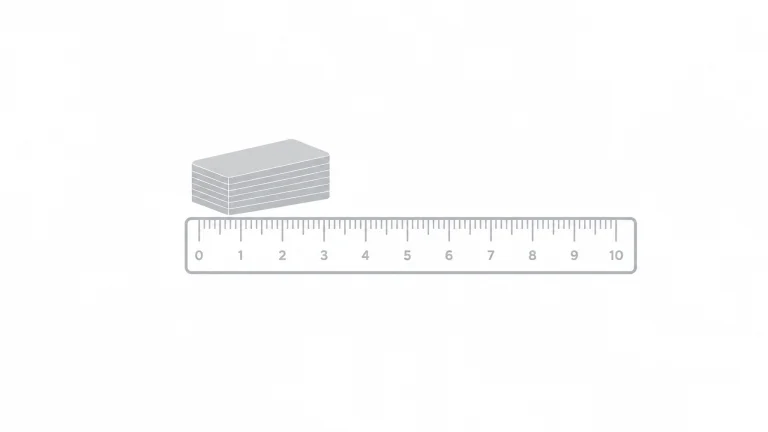
Imagine building a tower with hundreds of extremely thin sheets of paper. Each sheet has a slightly different shape. Put them together from bottom to top, and the stack becomes a three-dimensional object.
A 3D printer does something similar with thin layers of plastic.
The complete process looks like this:
- A computer model is created or downloaded.
- Slicing software divides the model into layers.
- The printer heats the plastic.
- Motors move the print head or build plate.
- The nozzle deposits melted plastic.
- The plastic cools and joins the previous layer.
- The printer repeats the process until the object is complete.
Creality’s explanation of how 3D printers work provides a useful overview of this design-to-object process.
First, the printer needs a digital plan
Before the printer moves, it needs instructions.
A 3D model is a digital shape created in computer-aided design software. Beginners might use a simple program such as Tinkercad, where shapes can be combined, resized, and moved around.
The model is then opened in a program called a slicer. The slicer does not physically cut the object. Instead, it mathematically divides the model into many horizontal layers.
The slicer decides things such as:
- How tall each layer should be
- Where the outside walls should go
- How much infill belongs inside the object
- How fast the printer should move
- How hot the nozzle and bed should become
- Whether support structures are needed
The slicer converts these decisions into machine instructions, often called G-code. G-code is a set of commands that tells the printer where to move, when to heat, and how much filament to push.
You can think of the slicer as a coach creating a playbook. The printer is the team that follows each instruction in the correct order.
The main parts of an FDM 3D printer
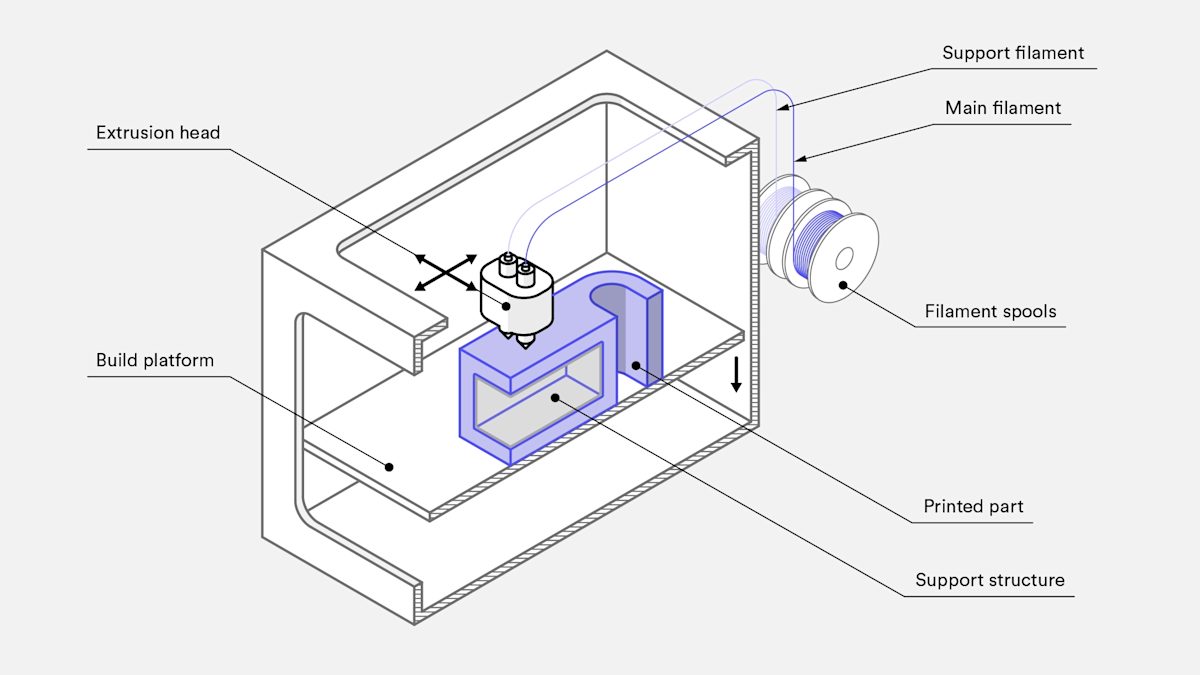
1. The filament spool
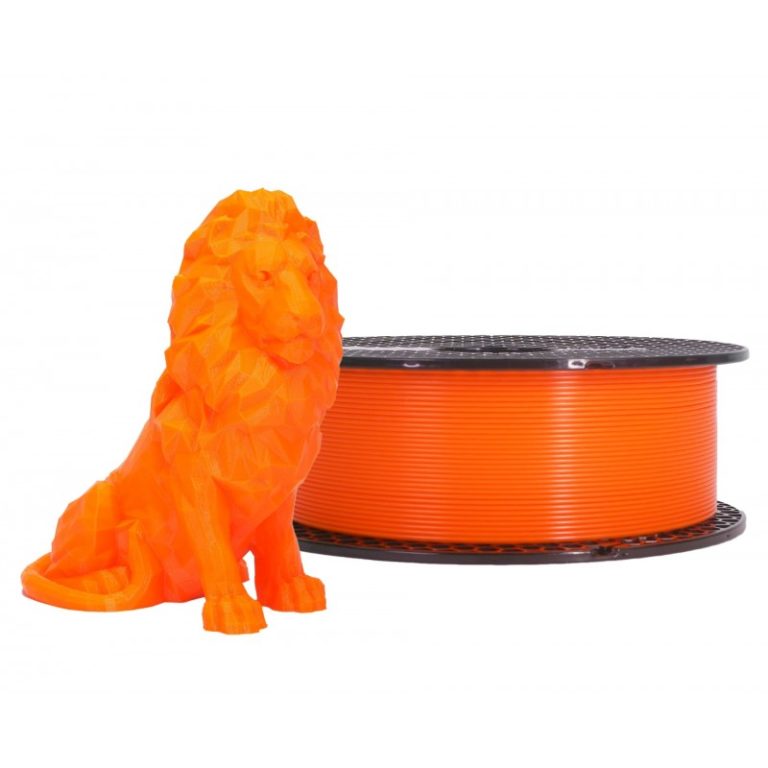
Filament is the printer’s raw material. It looks like a long, thin strand of plastic wound around a spool.
Common beginner materials include:
- PLA: Popular because it is generally easy to print
- PETG: Useful when a print needs more toughness
- ABS: Strong and heat-resistant, but usually more demanding to print
For many first projects, PLA is a practical starting point. The correct temperature always depends on the specific printer and filament, so an adult should check the manufacturer’s instructions.
2. The extruder: the plastic-feeding system
The extruder uses a motor and gears to grip the filament. It pushes the filament from the spool toward the hot end.
This is similar to squeezing toothpaste from a tube, except the printer controls the amount with great precision.
Some printers place the extruder motor directly above the hot end. Others use a separate motor connected by a tube. Either way, its job is to control the filament’s movement.
3. The hot end and nozzle
The hot end contains a heater, temperature sensor, and metal nozzle.
The heater warms the filament until it becomes soft or molten. For common materials such as PLA, the nozzle may operate around 190–230°C, depending on the filament and printer settings.
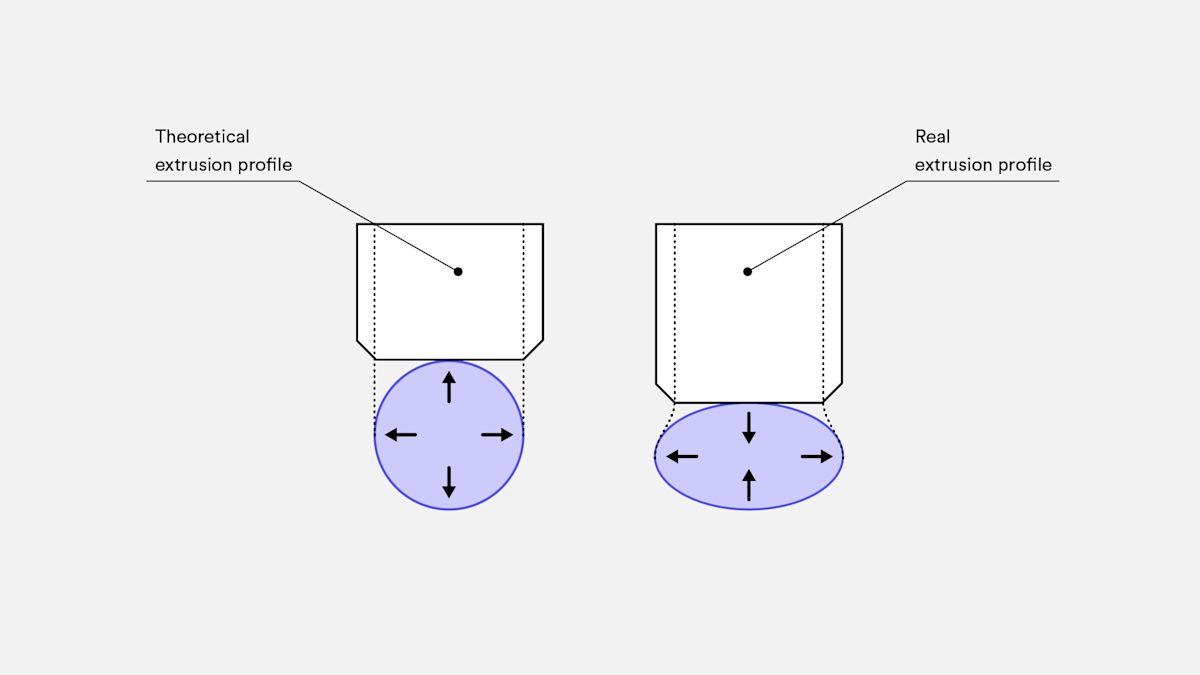
The nozzle is the small opening where the melted plastic exits. A common nozzle diameter is about 0.4 millimeters: less than half the width of a pencil tip.
That tiny opening allows the printer to draw precise lines. The printer does not pour plastic randomly. It controls the path, speed, and amount of material being placed.
4. The build plate or heated bed
The build plate is the flat surface where the object begins.
Many FDM printers use a heated bed. Its main job is to help the first layer stick properly. If the first layer slides, curls, or peels away, the rest of the print may fail.
The first layer is especially important because it acts like the foundation of a building. A strong foundation gives the next layers something stable to attach to.
The bed may move forward and backward, or it may remain still while the print head moves. Different printer designs arrange their moving parts in different ways.
5. Stepper motors and the X, Y, and Z axes
The printer’s motors are its muscles.
Most FDM printers use stepper motors, which can turn in very small, controlled steps. These motors move the nozzle, the bed, or both.
The three main directions are:
- X-axis: Side to side
- Y-axis: Front to back
- Z-axis: Up and down
The printer combines these movements to draw a shape. For example, it might move right while extruding plastic, then move forward to draw another line. After finishing the layer, it moves upward by a small amount and begins again.
The printer may also have a separate stepper motor for the extruder. That motor controls how much filament enters the hot end.
6. Fans and temperature sensors
A 3D printer needs to control temperature carefully.
A temperature sensor checks whether the nozzle and heated bed have reached their target temperatures. Cooling fans help fresh plastic harden after it leaves the nozzle.
If plastic stays too soft, details can become messy. If it cools too quickly or does not bond properly, the layers may separate.
The printer is constantly balancing heat and movement to create a solid object.
What happens during one print?
Let’s follow a simple print from beginning to end.
Step 1: The model is sliced
The slicer turns the 3D model into hundreds or thousands of thin layers. It also creates movement and temperature instructions.
A small object might use a few hundred layers. A taller object might use several thousand.
Step 2: The printer heats up
The hot end heats the nozzle. If the printer has a heated bed, the bed warms up too.
The printer usually waits until the temperatures are ready before printing. This helps the plastic flow consistently and improves first-layer adhesion.
Step 3: The first layer is printed
The nozzle moves across the build plate and deposits thin lines of plastic. These lines form the object’s outline and, often, some internal material.
The printer may print a “skirt” or “brim” around the object first. This helps confirm that plastic is flowing and can also help the print stick to the bed.
Step 4: The next layer begins
After completing one layer, the printer changes its Z position by the selected layer height. A typical layer might be 0.1–0.3 millimeters tall.
The nozzle follows a new path that is slightly different from the layer below. Together, the layers gradually form curves, corners, holes, and other details.
This is why a printed object often has visible horizontal lines. Those lines show the boundaries between layers.
Step 5: The inside is filled
Most prints are not completely solid. The slicer creates outer walls and fills the inside with a pattern called infill.
Infill can look like a grid, honeycomb, or other repeating structure. More infill can make a part stronger, but it also uses more plastic and takes longer to print.
This is one of the engineering decisions that makes 3D printing interesting: should the object be light and quick to print, or heavier and stronger?
Step 6: The object cools and is removed
When the final layer is complete, the printer stops. The object should cool before anyone tries to remove it.
The finished print may need supports removed, small edges cleaned, or surfaces sanded. For kid-friendly projects, an adult should handle sharp tools and any parts that are still hot.
Why do layers stick together?
When the nozzle places down new plastic, it is still warm. The new line presses against the previous layer and partially fuses with it.
As the plastic cools, the two layers become one connected structure.
However, the bond may not be equally strong in every direction. FDM parts can be weaker between layers than along the printed lines. Engineers consider this when designing functional parts.
For example, if Lucas were designing a small sports-themed stand, he would need to think about which direction the force will come from. A part that holds a lightweight ball may need a different design from one that supports a heavier object.
This is where 3D printing becomes more than 3D printing kids fun. It becomes a hands-on lesson in geometry, materials, forces, and problem-solving.
Safety rules for kids and families
3D printing can be an excellent family learning activity, but an FDM printer contains hot and moving parts.
Remember these basic rules:
- Never touch the nozzle or heated bed while they are hot.
- Keep fingers, hair, and loose clothing away from moving parts.
- Use the printer with close adult supervision.
- Print in a suitable, well-ventilated area.
- Follow the printer and filament manufacturer’s instructions.
- Let the print cool before removing it.
- Have an adult handle blades, scrapers, tools, and troubleshooting.
A child can still do plenty: choose a design, watch the first layer, compare infill patterns, record print times, and test whether a finished object works as planned.
The simple answer
So, how does a 3D printer actually work?
It follows a digital plan, feeds plastic into a heated nozzle, moves that nozzle precisely with stepper motors, and deposits material layer by layer onto a build plate. The plastic cools and bonds as the object grows upward.
A 3D printer is part robot, part heating system, part computer-controlled drawing machine: and part engineering experiment.
For more articles about Lucas, his projects, and 3D printing hobbies for kids, explore the Lucas Gorgan blog. The best beginner projects are often simple: print something useful, observe what happens, and improve the design one version at a time.