Kids’ 3D Printing Mistakes (and How Lucas Fixed Them)
Lucas is nine years old, loves sports, and enjoys making things with his 3D printer. He has printed game pieces, small practice accessories, and models inspired by soccer, basketball, and racing. But not every print has worked perfectly.
Some prints came loose from the build plate. Others developed thin strings, wobbly layers, or strange shapes that looked nothing like the model on the screen.
At first, Lucas thought a failed print meant he had done everything wrong. Then he learned an important part of 3D printing for kids: mistakes are clues. Each failed print can help you understand how the printer works.
With an adult nearby to handle hot parts, maintenance, and settings that require experience, Lucas began fixing one problem at a time. Here are some of the most common mistakes he encountered: and what he did next.
1. The print would not stick to the build plate
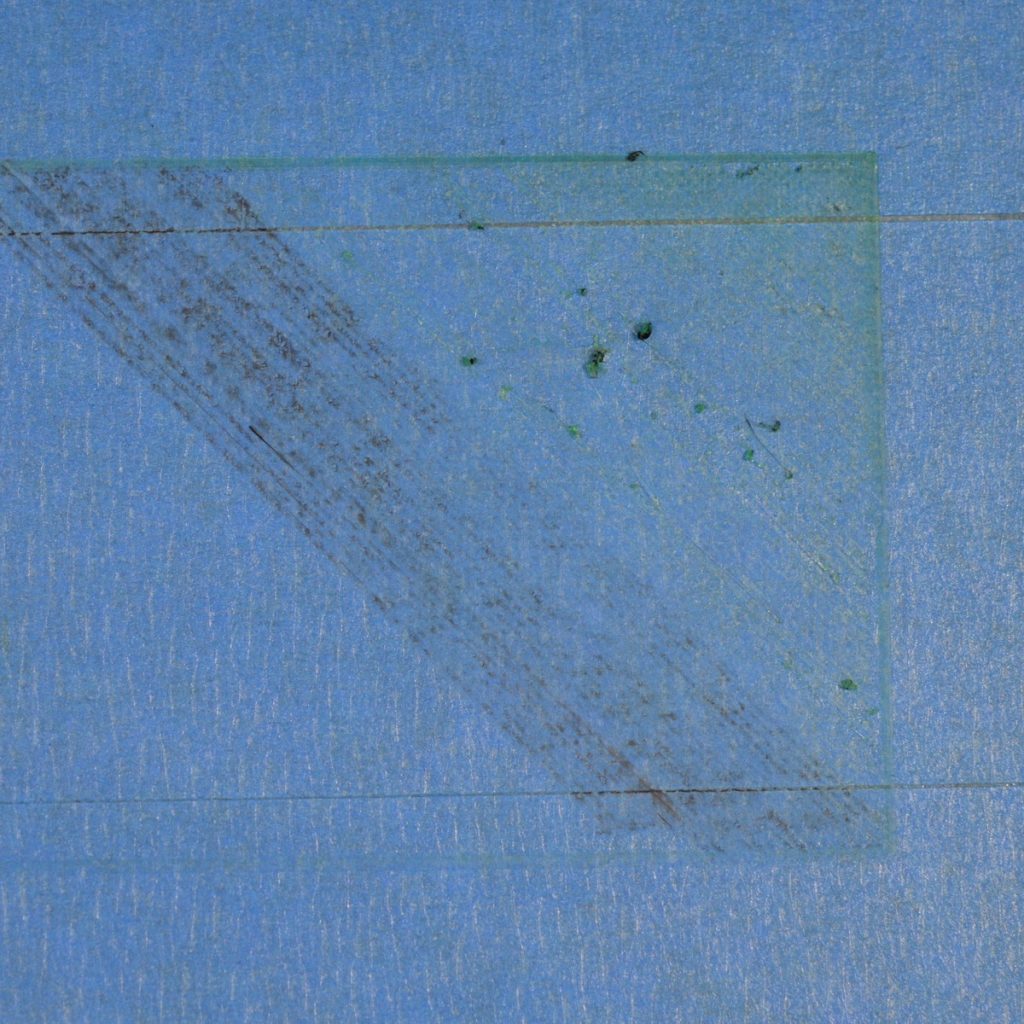
Lucas’s first big problem happened when he tried to print a small soccer goal. The printer started normally, but the plastic curled away from the build plate. After a few minutes, the model was stuck to the nozzle instead of the plate.
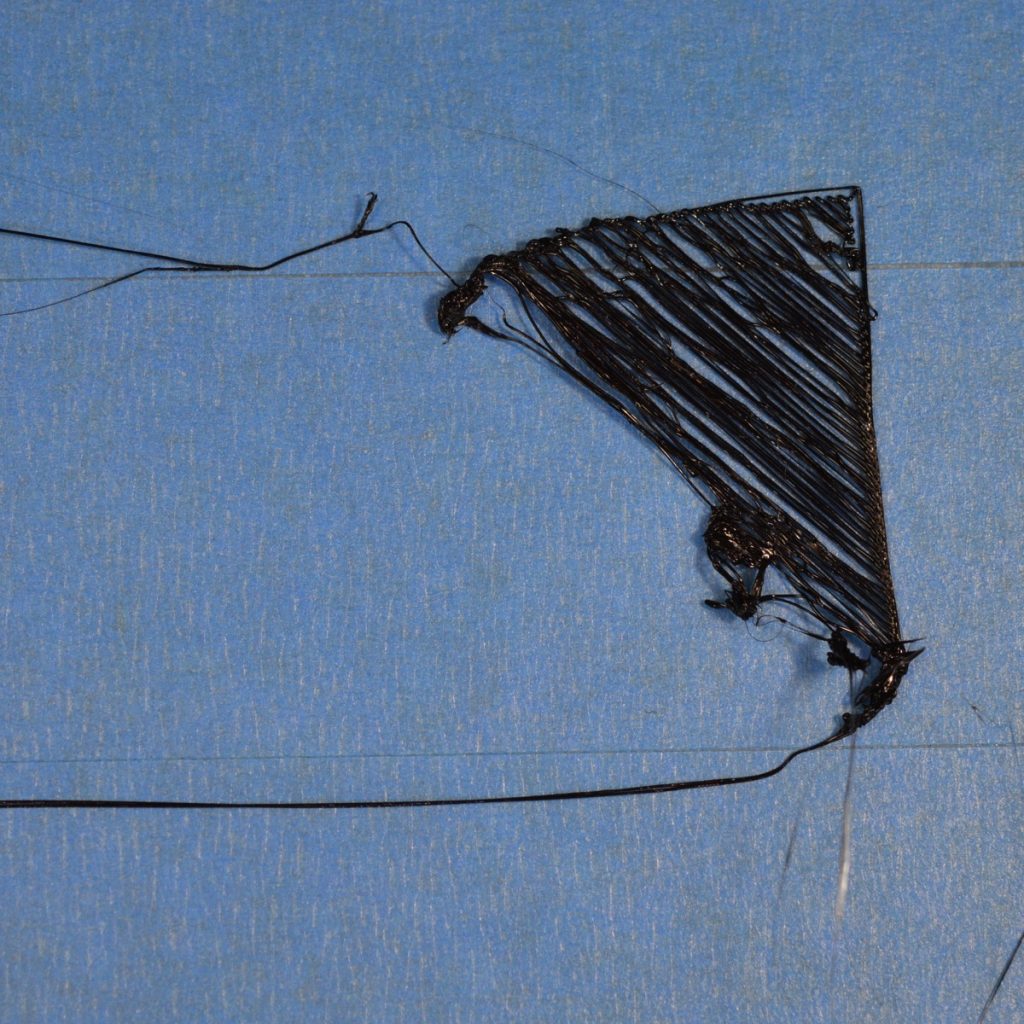
This is one of the most common beginner problems. The first layer is the foundation of the entire print. If it does not stick properly, the rest of the model has almost no chance of succeeding.
Lucas learned to check three things:
- The build plate needed to be clean and free of fingerprints or dust.
- The printer needed to be properly leveled or calibrated.
- The first layer needed to be watched before he walked away.
His parent cleaned the plate and helped run the printer’s leveling routine. They also checked that the nozzle was at the correct height for the first layer.
Lucas’s new habit was simple: he watched the beginning of every print. If the lines looked flat and connected, he knew the foundation was probably working. If the plastic looked like loose, round strings, he stopped and asked for help.
2. Lucas changed too many settings at once
When Lucas saw that a print was not working, his first idea was to change several settings. He adjusted speed, temperature, layer height, and infill all at the same time.
The result was more confusing than the original problem.
He no longer knew which change had helped: or made the print worse.
This is a common mistake in 3D printing hobbies for kids and adults. Printers have many settings, but changing everything at once makes troubleshooting difficult.
Lucas and his parent created a new rule:
Change one thing, then test it.
If the printer was moving too quickly, they changed only the speed. If the layers were not bonding, they checked the recommended material and temperature settings. If the model was weak, they looked at the walls and infill instead of changing the entire print profile.
Lucas started keeping a small notebook. For each print, he wrote:
- What he was printing
- Which filament he used
- What problem he noticed
- Which single change he tested
- Whether the next print improved
This turned troubleshooting into a science experiment. It also made the process more enjoyable because Lucas could see his progress from one print to the next.
3. Thin strings appeared between parts
One day, Lucas printed a small basketball hoop with a backboard and separate support pieces. The model came out in one piece, but thin strands of plastic stretched between several areas.
The strands looked like spider webs.
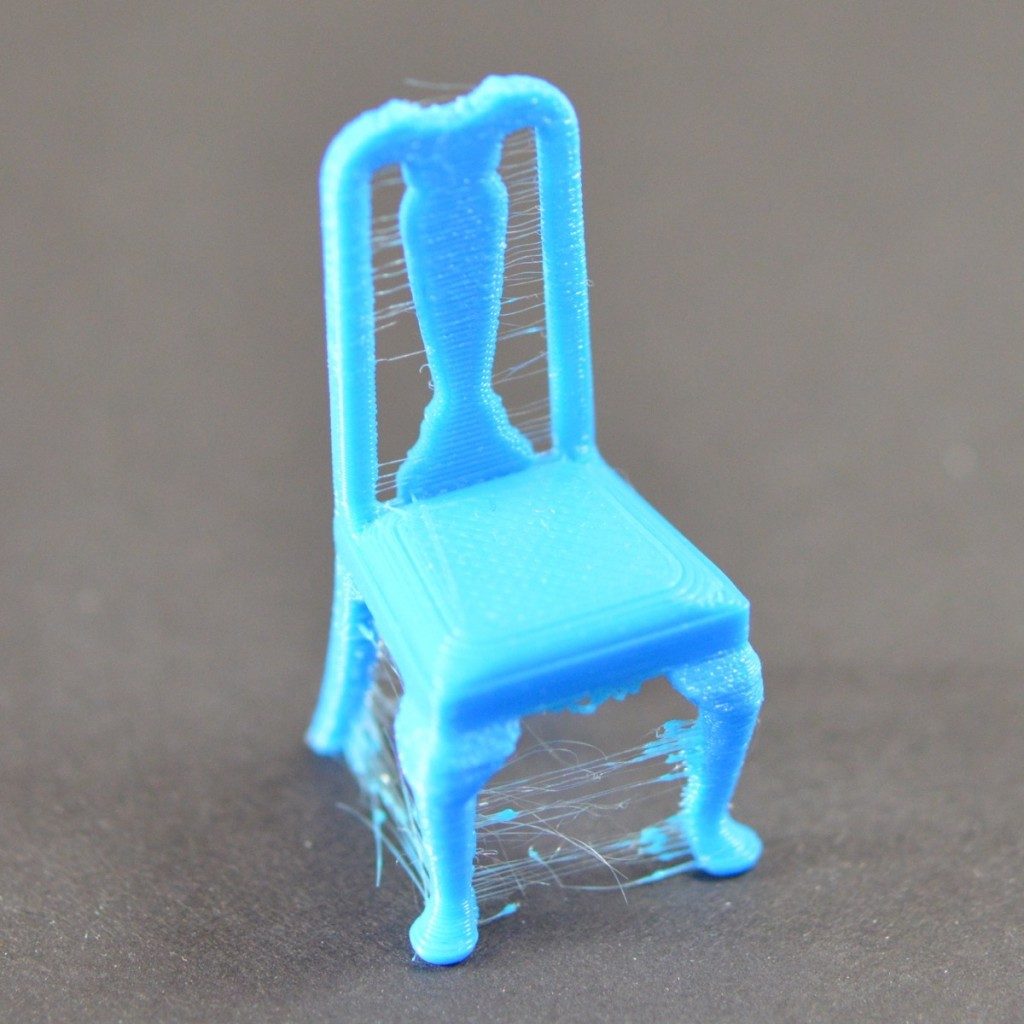
This issue is called stringing or oozing. It can happen when melted filament continues to come out of the nozzle while the print head travels from one section to another. Filament that has absorbed moisture or a temperature that is too high can make the problem worse.
Lucas did not try to pull the strings off while the model was still warm. Instead, he waited for the print to cool and asked an adult to help remove them safely.
Then they tested a few careful changes:
- They checked that the filament was stored in a dry, sealed container.
- They used the recommended temperature range for that filament.
- They reviewed the printer’s retraction settings.
- They printed a small test before starting the full basketball project again.
The next version had far fewer strings. Lucas still needed a little cleanup, but the hoop looked much neater.
His lesson was that filament storage matters. A spool that sits out in a humid room may not print the same way as a fresh, properly stored spool.
4. The layers suddenly shifted sideways
Lucas’s most dramatic failure happened while printing a small racing car. The bottom of the car looked fine, but halfway up, the upper layers suddenly moved to one side. The result looked like a car with a crooked roof.
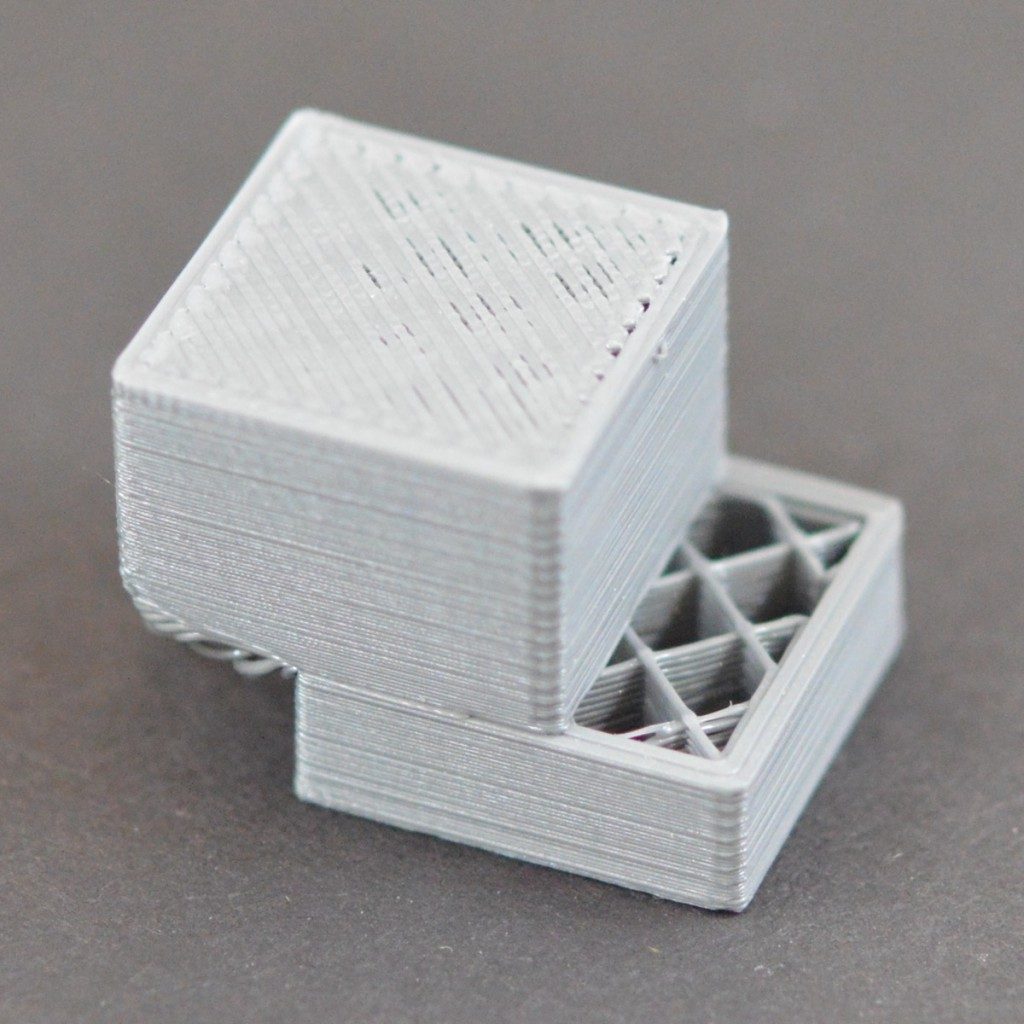
This problem is known as layer shifting. It can happen when something blocks the movement of the print head or build plate. Loose belts, mechanical issues, excessive speed, or an object touching the printer can also contribute.
Lucas knew not to reach into the printer while it was operating. He pressed stop and waited for an adult.
Together, they checked that:
- Nothing was blocking the bed or print head
- Cables were safely out of the way
- The printer was sitting on a stable surface
- The belts and moving parts did not appear loose
- The print speed was appropriate for the model
They also looked at the printer’s instructions before making any adjustments. Lucas’s parent handled tightening and maintenance because moving parts and tools are adult responsibilities.
For the next attempt, Lucas printed the car more slowly. The layers stayed aligned, and the finished model rolled across the table.
That experience taught him that a printer is a machine, not a toy. Watching carefully is part of 3D printing kids fun, but safe supervision always comes first.
5. The corners curled upward
Lucas also noticed warping on a wide, flat sports scoreboard he designed. The middle looked good, but the corners lifted away from the plate.
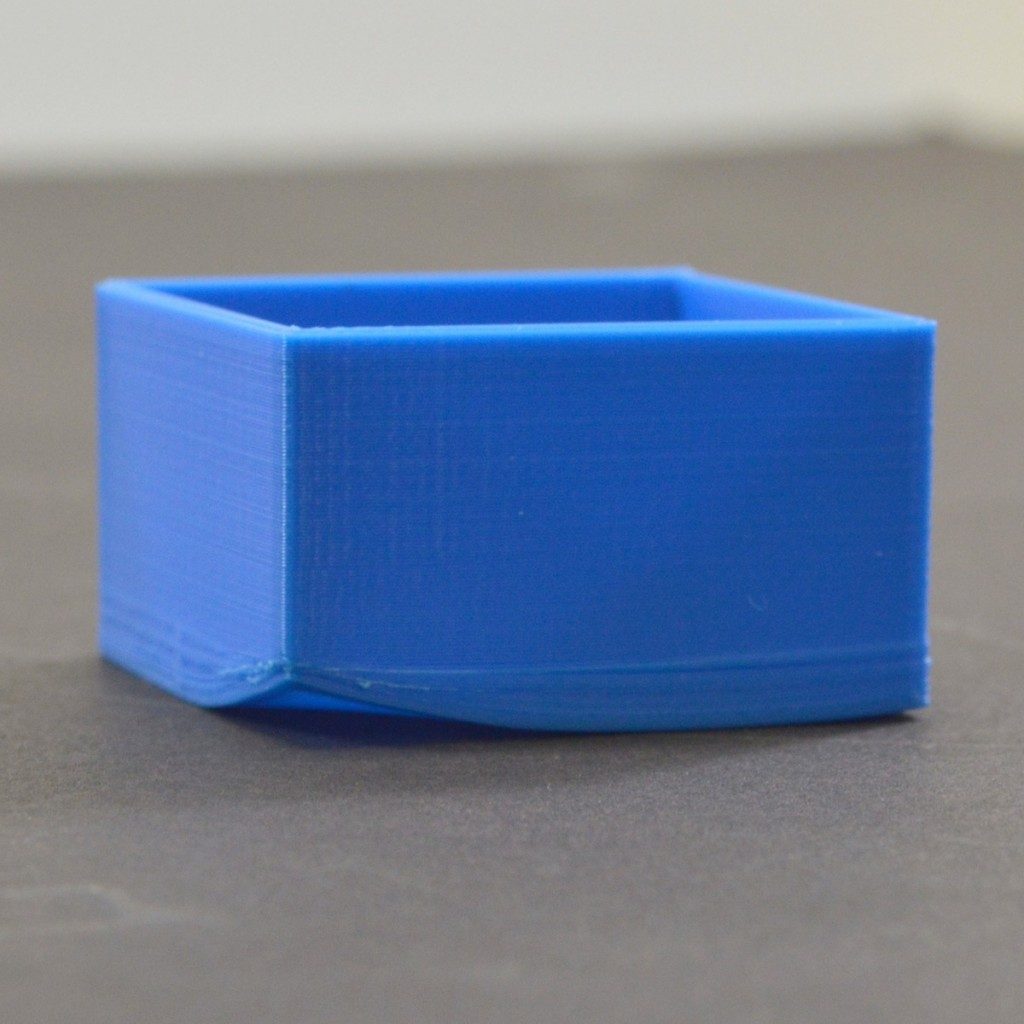
Warping can happen when different parts of a print cool at different rates. Large, flat models are especially likely to show the problem.
Lucas fixed it by improving the foundation rather than redesigning the entire scoreboard. An adult helped clean and calibrate the build plate. They also checked the material instructions, reduced drafts around the printer, and used an appropriate brim when the slicer recommended one.
For future sports-themed projects, Lucas began printing smaller sections separately. Instead of making one large scoreboard, he printed the base, signs, and supports as individual parts. This reduced the stress on the corners and made the project easier to assemble.
It also gave him more freedom to use different colors.
Lucas’s five-step troubleshooting routine
After several failed prints, Lucas created a routine that works for most beginner problems:
- Stop and look carefully. What exactly went wrong?
- Check the first layer. Did the print begin with a strong foundation?
- Check the material. Is the filament dry, correctly loaded, and suitable for the printer?
- Change only one setting. Make a small adjustment and test again.
- Ask an adult for help when needed. Hot surfaces, moving parts, tools, and maintenance require supervision.
Lucas also learned that a failed print is not always wasted. Sometimes it becomes a lesson, a design improvement, or even part of a new project. A crooked car can become a funny “crash-test” model. A rough basketball hoop can become a prototype for a better version.
The best part of learning from mistakes
3D printing has helped Lucas practice more than design and technology. It has also taught him patience, observation, and problem-solving.
Those skills are useful in sports, too. When Lucas misses a shot or makes a mistake during a game, he does not need to quit. He can look at what happened, make one adjustment, and try again.
That is the mindset that makes 3D printing rewarding for kids. The goal is not to create a perfect object every time. The goal is to understand the process well enough to improve the next attempt.
For more stories and professional projects from Lucas Gorgan, visit lucasgorgan.com. For a visual reference covering common print-quality problems, Lucas’s family also used the Simplify3D Print Quality Troubleshooting Guide.
The next time a print fails, Lucas’s advice is straightforward:
Don’t panic. Find the clue, fix one thing, and print again.