Layers, Nozzles and Speed: 3D Printing Terms Every Young Engineer Should Know
A 3D printer can turn a digital design into a real object, but it does not do this all at once. It builds the object gradually, placing one thin layer of material on top of another. To understand why a print succeeds, young engineers need to understand the vocabulary used to describe the printer, the material, and the settings that control the process.
This glossary is a friendly introduction to 3D printing for kids. It focuses mainly on FDM, or fused deposition modeling, printers: the type that melt plastic filament and deposit it through a nozzle. Lucas, who enjoys both 3D printing and sports, often approaches a new project like a coach approaches practice: learn the fundamentals first, then improve one setting at a time.
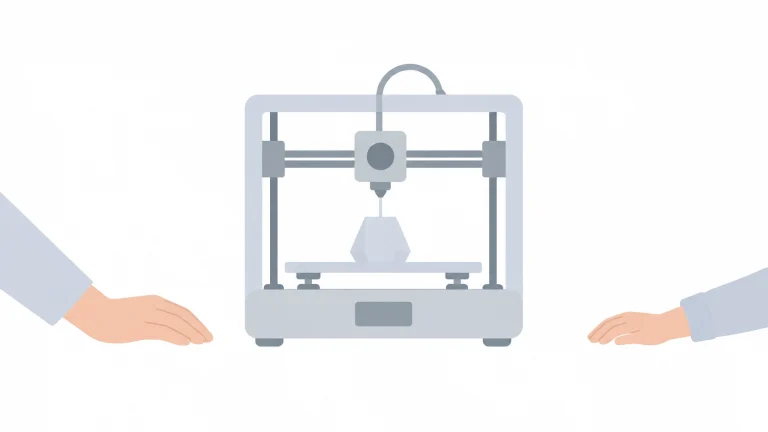
The basic 3D printing process
Before exploring individual terms, it helps to understand the overall sequence:
- A designer creates or downloads a 3D model.
- A slicer converts the model into printable layers.
- The printer heats plastic filament.
- A nozzle deposits the melted plastic onto the build plate.
- The printer repeats the process until the object is complete.
The Wikimedia Commons 3D printing category includes photographs and diagrams showing this layer-by-layer process.
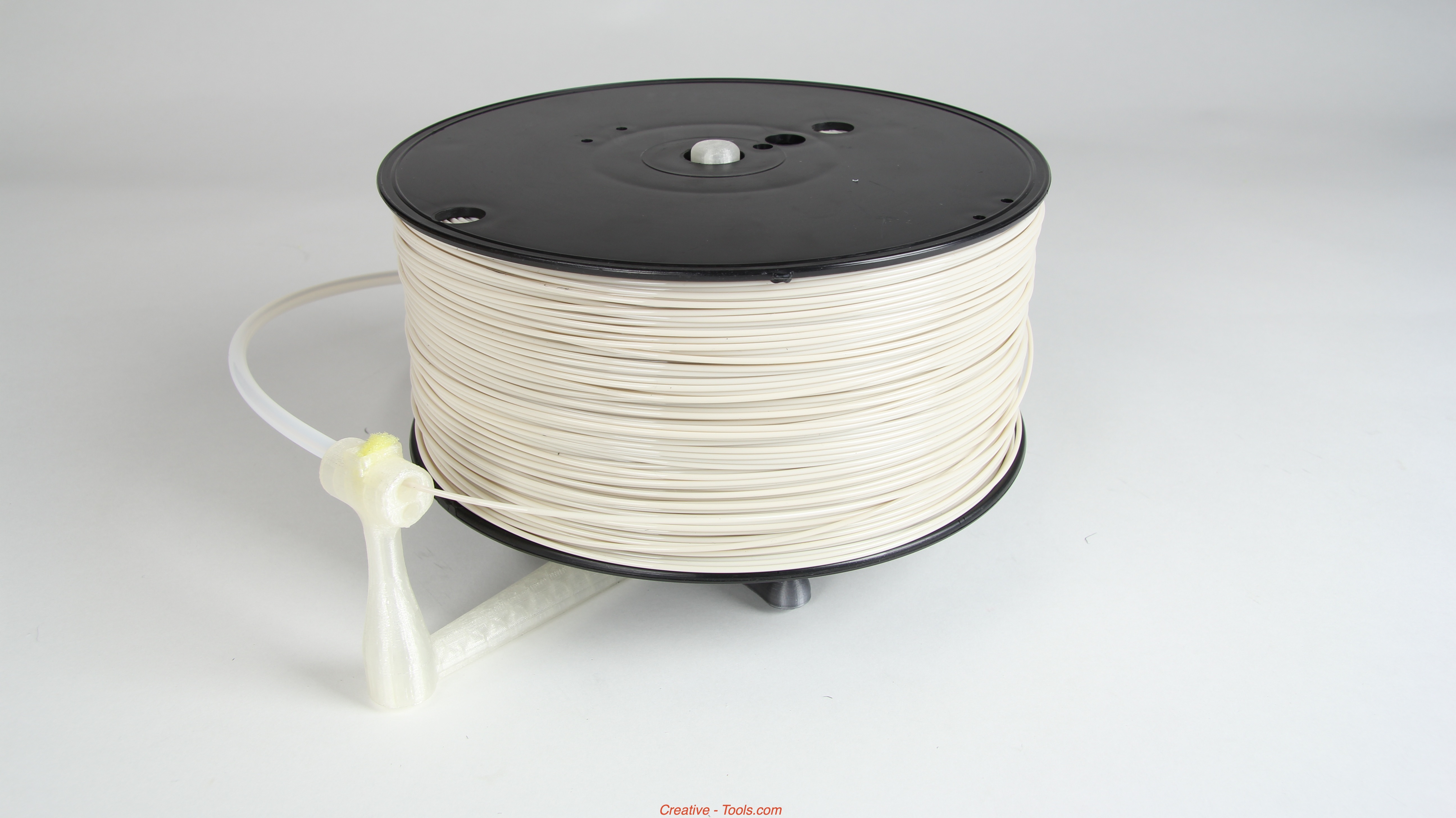
Filament is supplied on a spool and fed into the printer. Photo by Creative Tools, licensed under CC BY 2.0.
Hardware terms every young engineer should know
Nozzle
The nozzle is the small opening where melted filament leaves the printer. A common nozzle diameter is 0.4 millimeters, although printers can use smaller or larger nozzles.
A smaller nozzle can produce fine details, but it usually prints more slowly. A larger nozzle can deposit more plastic at once, which may make a print faster and stronger, although tiny details can become less precise.
The nozzle is part of the hotend, the heated section that melts the filament. Because the hotend and nozzle become very hot, children should never touch them while the printer is operating. An adult should handle maintenance, nozzle changes, and clearing clogs.
Filament
Filament is the long, thin plastic material used by many 3D printers. It looks a little like very thick fishing line and is usually stored on a spool.
Common filament types include:
- PLA: A popular beginner material that is relatively easy to print.
- PETG: Tougher and more heat-resistant than PLA, but sometimes more difficult to tune.
- TPU: Flexible filament used for soft or rubber-like parts.
- ABS: A strong plastic that often requires more temperature control and ventilation.
Filament choice affects the required nozzle temperature, bed temperature, strength, flexibility, and appearance of a finished object.
Build plate or print bed
The build plate, also called the print bed, is the surface where the first layer of a print is placed. The printer moves the nozzle and bed in carefully controlled directions so each new line of plastic lands in the correct location.
A clean, level build plate is important. If the first layer does not stick properly, the rest of the print may shift or fail.
Extruder
The extruder is the mechanism that grips and pushes filament toward the hotend. Some printers place the extruder directly above the hotend. Others use a tube to guide the filament from a separate motor.
In simple terms, the extruder supplies the plastic, the hotend melts it, and the nozzle places it.
Layer height, speed, and print quality
Layer and layer height
A layer is one horizontal slice of a 3D object. Layer height is the thickness of each slice, measured in millimeters.
For example, a printer might use a layer height of 0.2 mm. Smaller layer heights, such as 0.1 mm, usually create smoother curves and more detail. However, the printer must produce more layers, so the project takes longer.
Larger layer heights reduce print time but make the individual lines more visible. According to Prusa’s guide to layers and perimeters, layer height affects print time and vertical resolution. With a 0.4 mm nozzle, layer height generally needs to remain below the nozzle diameter.
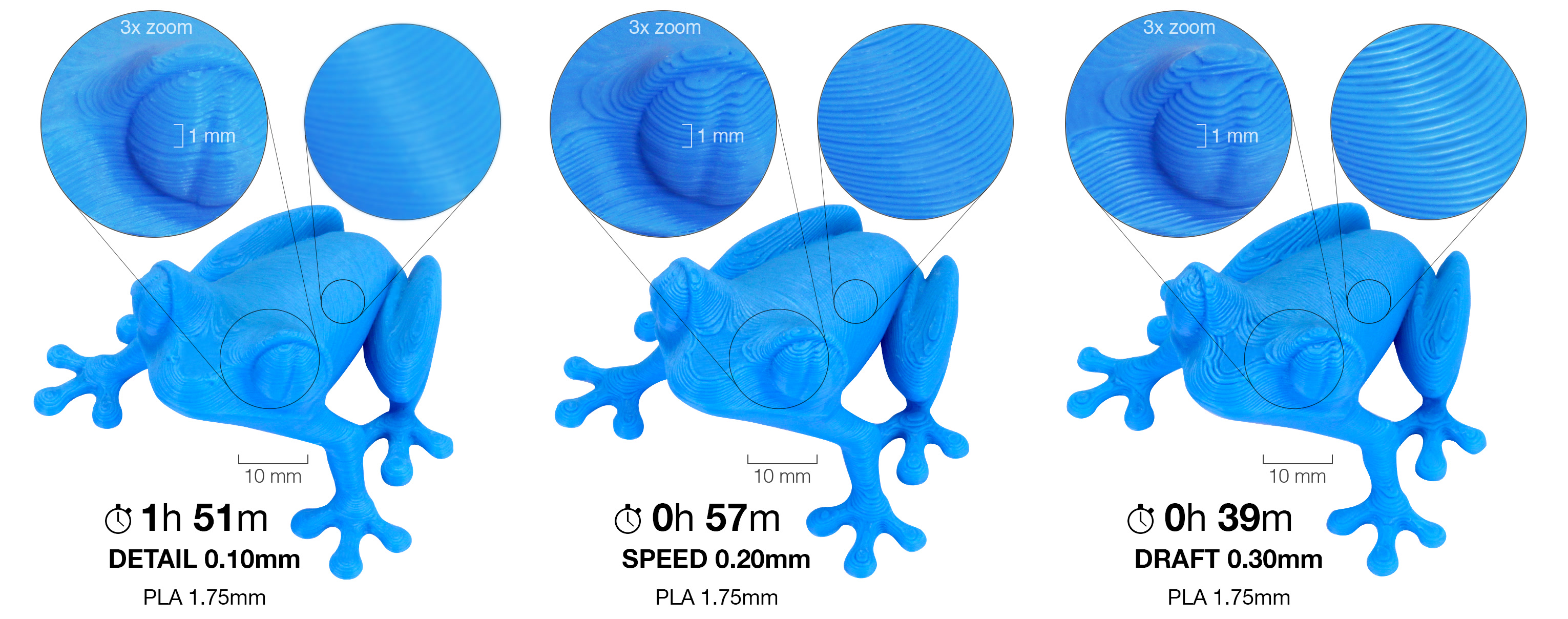
A useful engineering question is not “What is the highest quality setting?” but “What quality does this object actually need?” A rough equipment stand may not need the same fine layers as a detailed model.
Print speed
Print speed describes how quickly the printer moves while depositing plastic. Increasing speed can shorten a print, but speed is not the only factor that matters.
If the printer moves too quickly, the filament may not melt or bond properly. Corners can become less accurate, details may disappear, and the printer may produce weak layers. A slower speed often gives the printer more time to place each line accurately.
Lucas might think of this like sports practice: sprinting is useful in the right event, but moving quickly is not always the same as performing well. Good printing balances speed, accuracy, temperature, and material flow.
How the inside of a print is built
Perimeters or walls
Perimeters are the outlines that form the outer walls of a print. A model may have two, three, or more perimeters.
Perimeters often contribute more to everyday strength than simply increasing infill. For example, adding another wall can make a thin container stronger without filling its entire interior with plastic.
Infill
Infill is the internal structure printed inside the outer walls. Instead of making every object completely solid, the slicer can create a pattern such as a grid, honeycomb, or lines.
Infill is usually described as a percentage:
- 0% infill: Mostly hollow, depending on the design.
- 10–15% infill: Often suitable for decorative or lightly used objects.
- Higher infill: Adds weight and can improve stiffness or compression resistance.
The Prusa infill guide explains that infill supports the top layers, affects material use, and influences print speed and strength. More infill is not automatically better; it also increases print time and plastic consumption.
Top and bottom layers
The top layers close the upper surface of the object, while the bottom layers form its base. If there are too few top layers, the surface may sag over the infill pattern or show gaps.
This is one reason an object can have low infill but still have a solid-looking exterior.
Adhesion, supports, brim, and raft
Bed adhesion
Bed adhesion describes how well the first layer sticks to the build plate. Good adhesion helps prevent warping, lifting, and accidental movement.
Common ways to improve adhesion include:
- Cleaning the build plate.
- Checking that the bed is level.
- Adjusting the first-layer height.
- Using an appropriate bed temperature.
- Adding a brim or raft when necessary.
The first layer deserves special attention because every other layer depends on it.
Overhang and bridge
An overhang is a section that extends outward beyond the layer below it. If an overhang is too steep, the printer may struggle to place plastic in empty space.
A bridge is a horizontal span printed between two areas, such as the top of a small opening. Printers can create short bridges without support, but longer bridges may sag.
Supports
Supports are temporary structures printed underneath overhangs and difficult shapes. They give the nozzle a surface to build on rather than asking it to print completely in mid-air.
After printing, supports are removed by hand or with tools. They use extra plastic and can leave marks, so a good engineer uses only as much support as needed.

Brim
A brim is a series of extra outlines attached around the bottom edge of a model. It increases the model’s contact area with the build plate.
Brims are useful for tall, narrow objects or designs with a small footprint. They are usually easier to remove than a raft.
Raft
A raft is a temporary, multi-layer base printed underneath the model. The object is printed on top of the raft rather than directly on the bed.
A raft can help with difficult first layers or materials that tend to warp, but it uses more filament and may leave a rougher bottom surface. For many beginner PLA projects, a clean bed and a brim are enough.
Retraction and stringing
Retraction
Retraction occurs when the printer pulls filament slightly backward during a movement where it is not printing. This reduces melted plastic leaking from the nozzle.
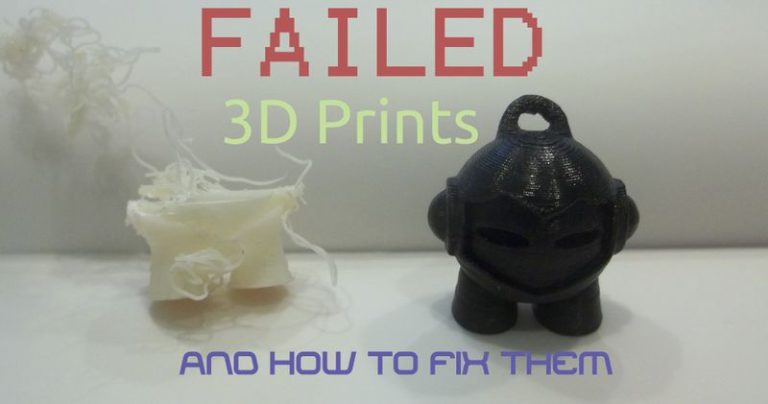
Without suitable retraction, a printer may leave thin strands between separate parts. These strands are called stringing.
Retraction has two important settings:
- Retraction distance: How far the filament is pulled back.
- Retraction speed: How quickly it is pulled back.
The best settings depend on the printer, filament, and extruder design. If retraction is too strong, it may cause gaps or feeding problems. If it is too weak, stringing may continue.
Slicer, STL, and G-code
Slicer
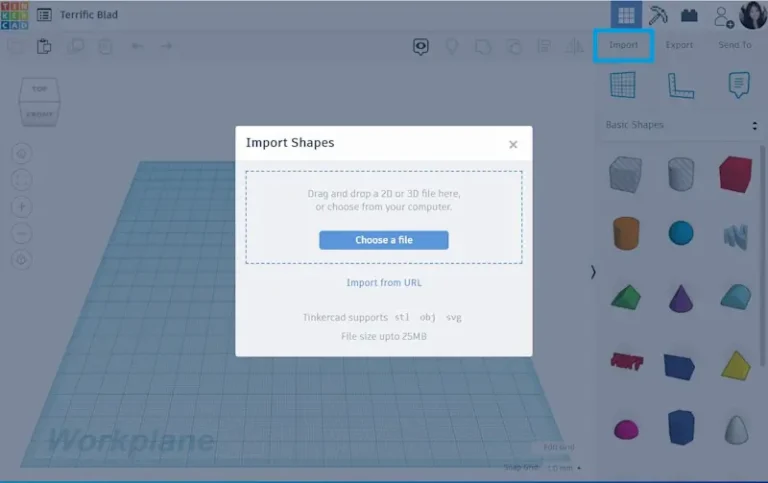
A slicer is software that converts a 3D model into instructions for the printer. It lets the user choose layer height, infill, supports, speed, temperature, and other settings.
The slicer then creates G-code, a set of movement and temperature commands the printer can follow.
STL file
An STL file is a common format for sharing a 3D model. It describes the model’s surface using many small triangles. Other formats, such as 3MF, can also store model and printing information.
A simple glossary challenge
For a beginner project, try predicting what will happen when you change one setting at a time:
- What happens when layer height becomes smaller?
- What happens when infill increases from 15% to 30%?
- Would a tall object benefit from a brim?
- Does a model with a large overhang need supports?
- What happens if print speed is increased?
Changing only one setting makes the result easier to understand. That is the heart of engineering: observe, test, measure, and improve.
For more beginner-friendly ideas, explore the Lucas Gorgan blog, where 3D printing connects with creativity, problem-solving, and the interests that make learning memorable. Whether Lucas is designing a sports-themed project or testing a new print setting, every successful object begins with understanding the basics.